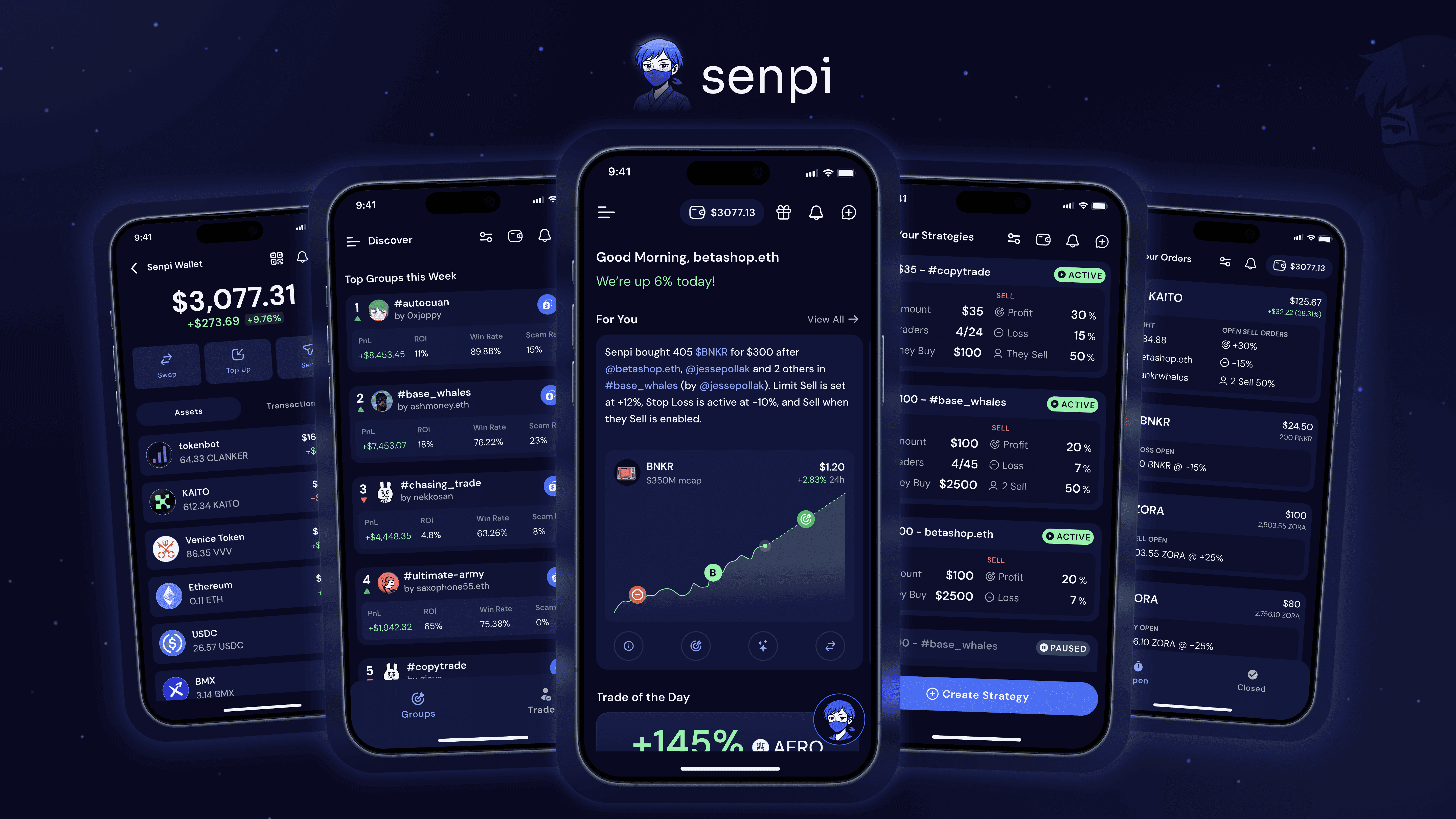
Overview
Senpi helps traders act on onchain signals without living on charts all day. Traders can discover high-performing traders and groups, turn those signals into rule-based strategies (auto-buy/auto-sell), and manage execution through a self-custodial wallet. Smart Alerts turn notifications into an interactive thread where the assistant explains what happened and helps traders take the next step (set limits, add stop-loss, buy the dip).
Platform: Mobile
Scope shown: Onboarding, Feed, Discover, Groups, Strategies, Wallet, Orders, Alerts + Assistant

Onboarding: Choose groups and traders to follow, enable Alerts, then land in Feed.
Problem
Onchain markets move fast and traders often face a tradeoff: either manage too many tools at once or miss timing windows. Many products overload traders with data, while others require repetitive manual steps at the moment of action.
Traders typically want to:
Follow credible signals (top traders, curated cohorts)
Execute quickly when a signal hits
Apply guardrails (limits and stop-loss) without complex setup
Understand why a trade happened in plain language
Goals
Get traders to a meaningful signal quickly
Make automation inspectable (what it does, when it triggers, how to stop it)
Require explicit permissioning before auto-trade becomes active
Make alerts actionable so monitoring leads to follow-through
Principles used across the UI
Outcomes at decision points: show PnL, ROI, and status where traders decide
Risk controls inside the flow: limits and stop-loss are part of the action path
Context without app switching: actor, action, and result stay together
State clarity over feature depth: clear open/closed and active/paused states
Product map
Senpi is organized around a small set of core surfaces:
Feed for alerts, context, and suggested actions
Discover for finding traders and groups worth tracking
Groups to define who counts as a signal
Strategies to define what to do when a signal occurs
Orders to monitor execution and outcomes
Wallet for self-custody, funding, and swaps
Assistant embedded into alerts and chat for explanations and actions
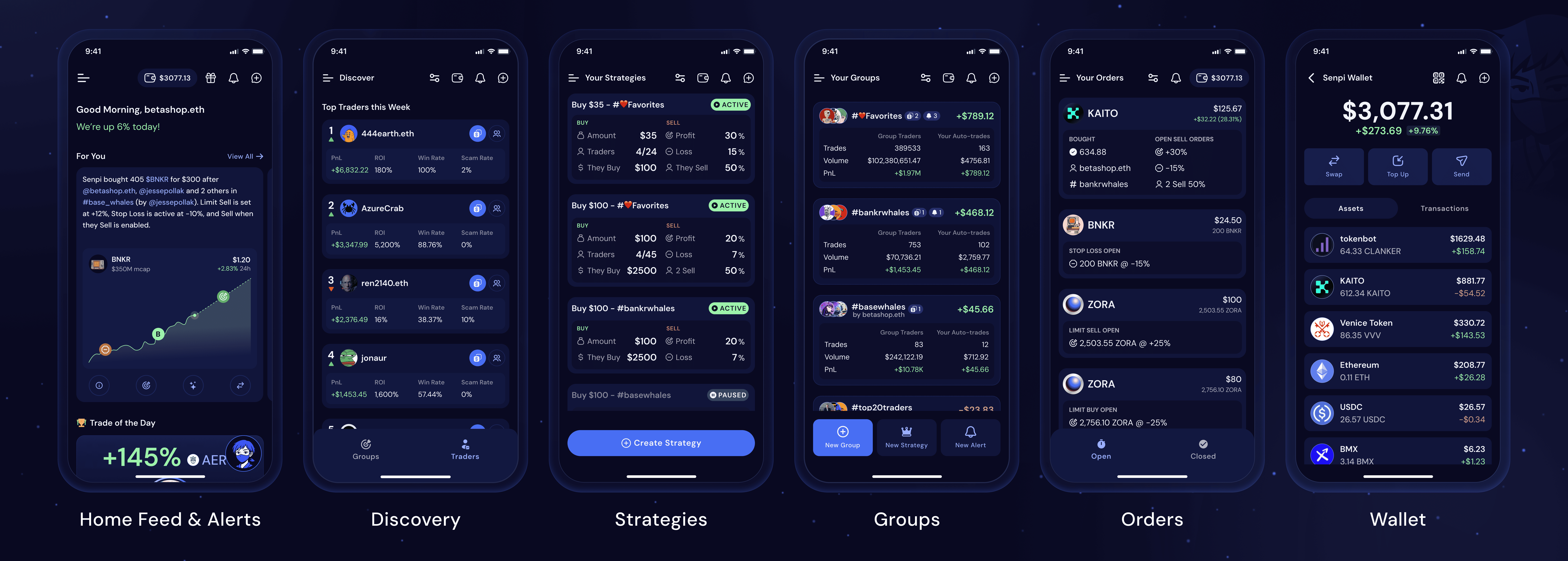
Core Navigation: Feed, Discover, Strategies, Groups, Orders, Wallet.
Flow 1: Get oriented in the market
Feed combines a personal snapshot, high-signal alerts, and lightweight discovery widgets that route into deeper evaluation.

Feed: Scan trades with actor, action, and outcome context in every card.
Flow 2: Find signals worth tracking
Discover supports comparison and action without losing context, through ranked lists, quick actions, and detail views that are decision-ready.
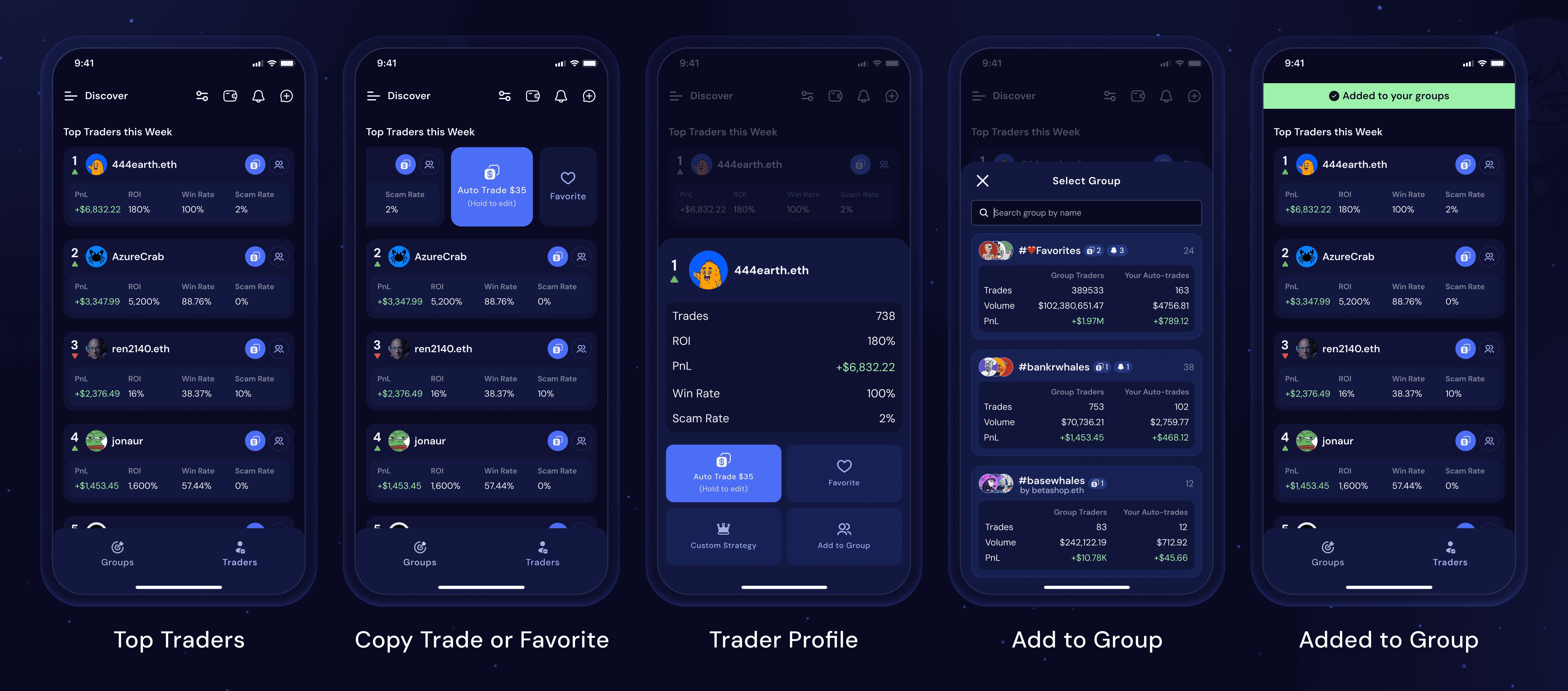
Discover: Compare traders and groups, then favorite, auto-trade, or add to a group.
Flow 3: Turn people into a reusable signal
Groups make tracking explicit. Traders can review cohort performance, compare members, and maintain sets over time through sorting and filtering.
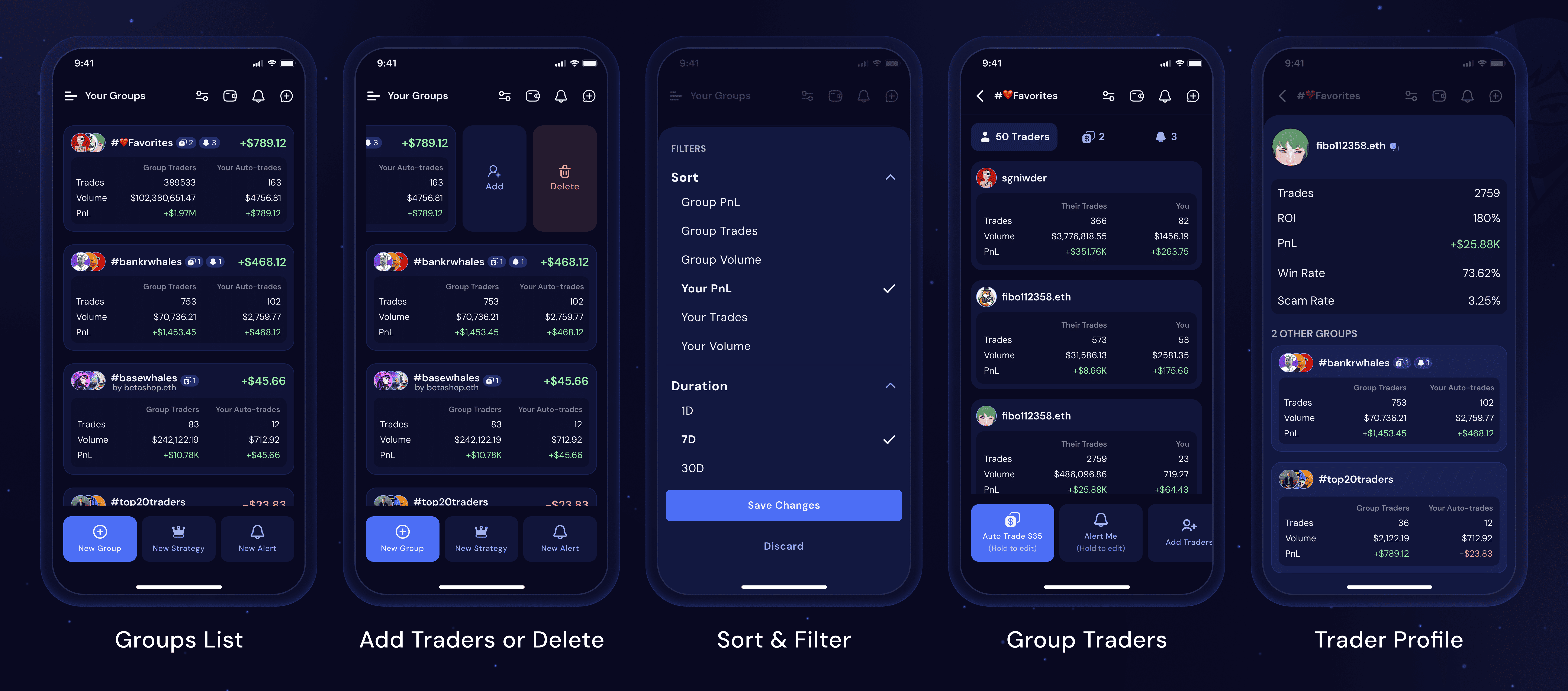
Groups: Organize traders into groups and compare performance at a glance.
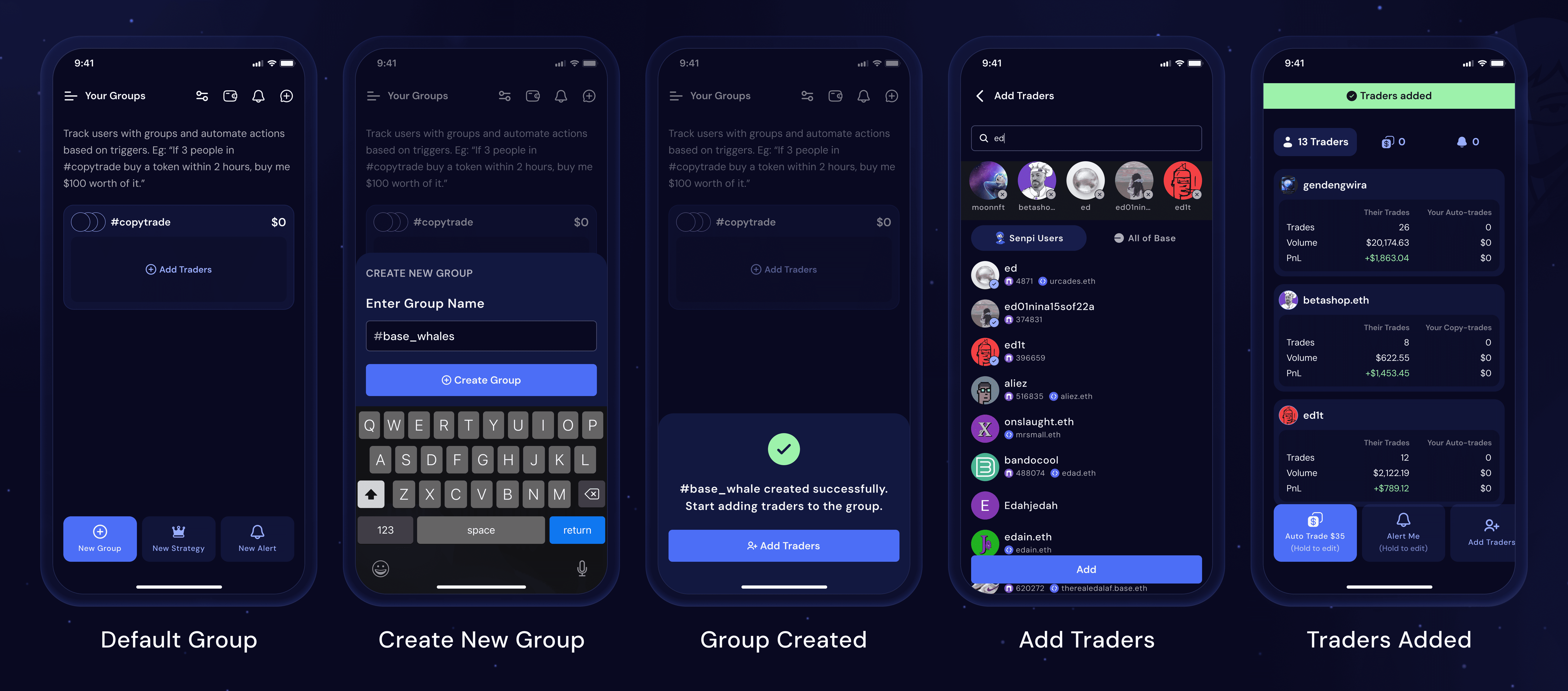
Group setup: Create a group, add traders, and review the group list.
Flow 4: Translate signals into automation
Strategies define what should happen when signals occur. Rules are scannable, states are explicit, and controls are predictable, so traders can intervene fast.
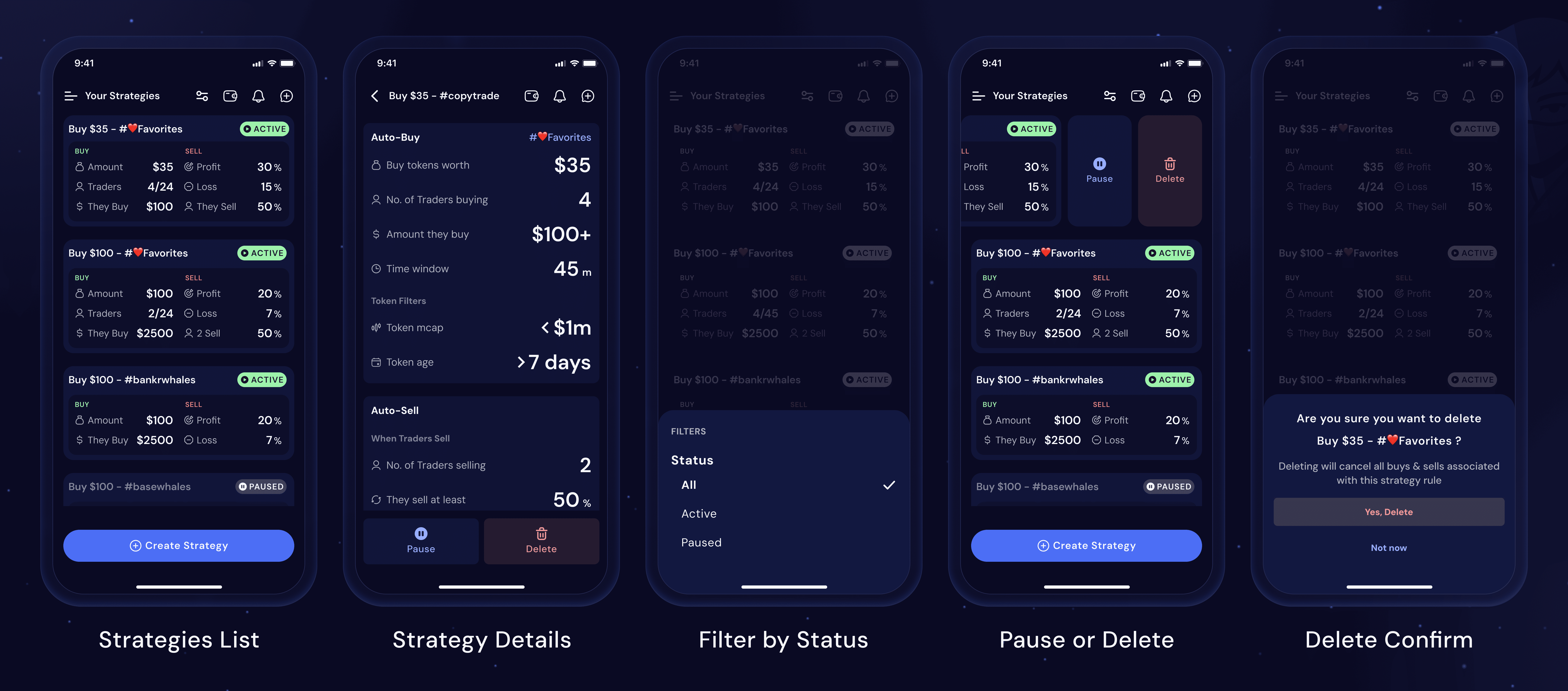
Strategies: Manage automation rules with clear status and quick controls.

Strategy Setup: Choose a group or traders as a source, set conditions, review, and activate.
Flow 5: Permissioning and prerequisites
Auto-trading requires readiness. Funding and agent approvals are gated so strategies cannot run without explicit consent.
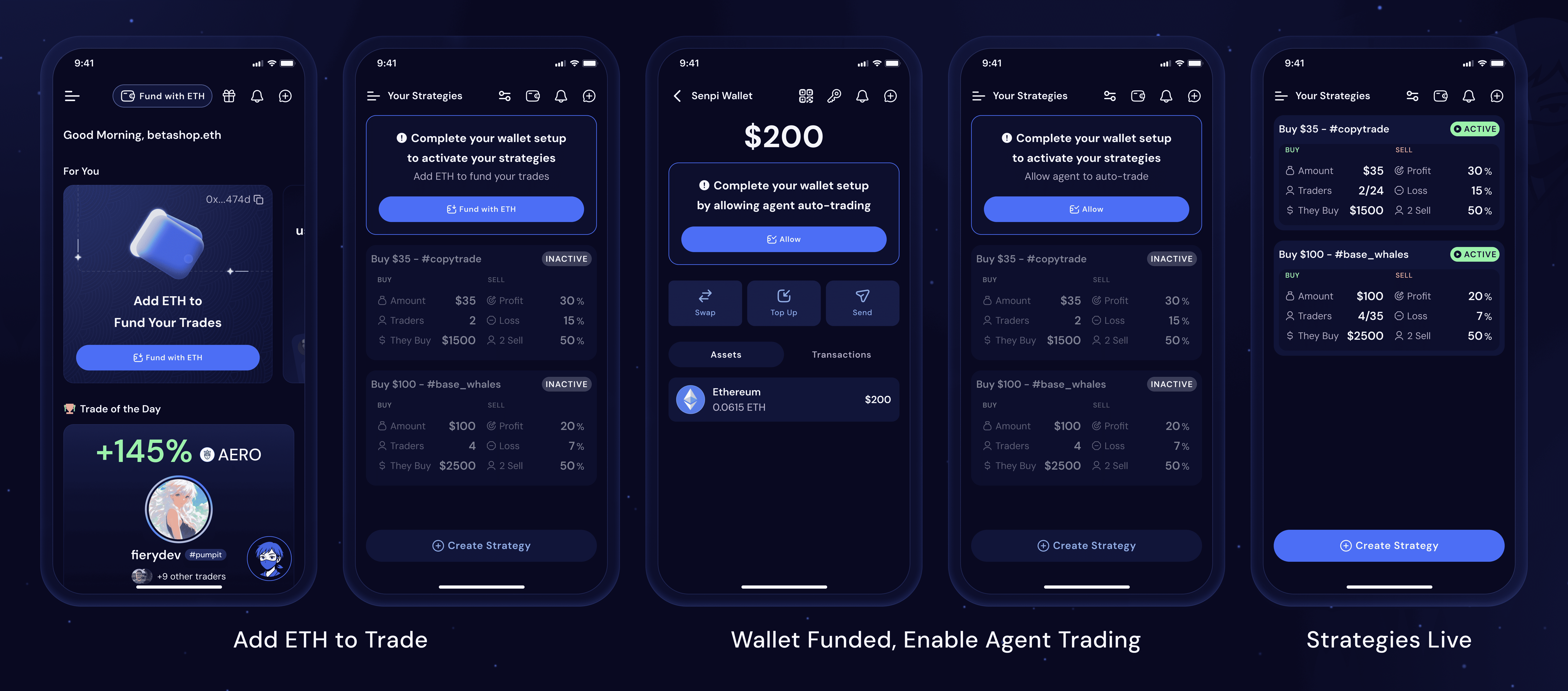
Activation Gates: Fund the wallet and approve auto-trading before strategies run.
Flow 6: Understand and act on alerts
Smart Alerts reduce what now moments. Alerts summarize what changed, then open a thread where the assistant explains context and supports follow-through.
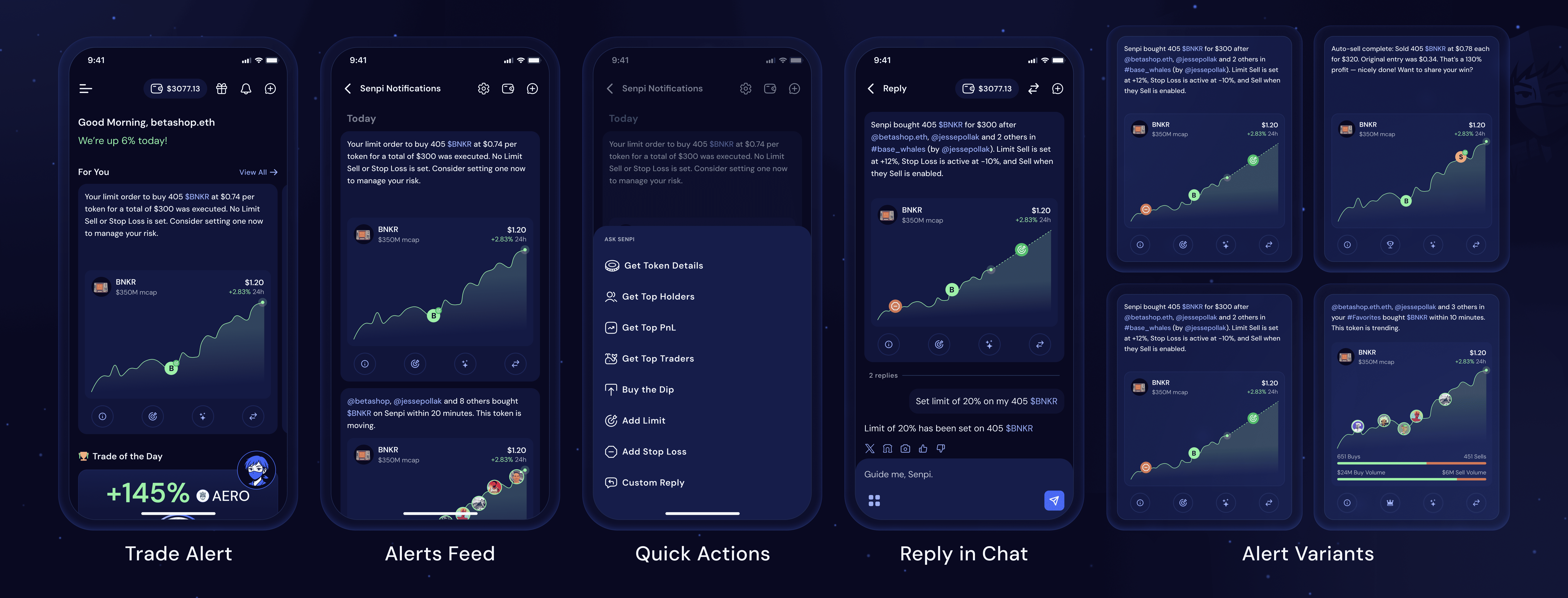
Alerts: Each notification opens a thread with context and next actions.
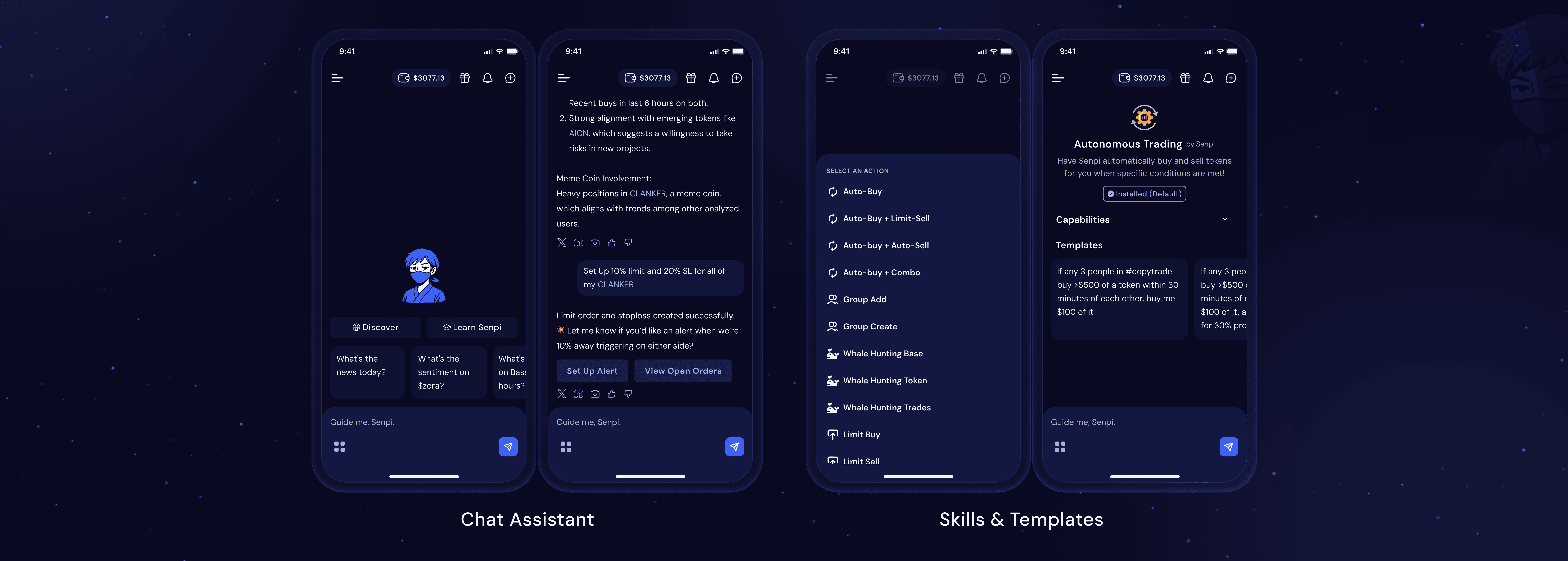
Chat Assistant: Ask for analysis or trigger actions; skills and templates speed up common workflows.
Flow 7: Review execution
Orders provide a state-based view of what happened and what is next, separating open exposure from closed outcomes and supporting fast review through filters.

Orders: Review open and closed executions, inspect order state, and filter by type.
Flow 8: Self-custody and swaps
Wallet supports custody without breaking momentum, with balance-first views, token details, swaps, and receipt-level confirmations.

Wallet: View assets, swap tokens, and confirm activity in transaction history.
Reusable interaction patterns
To keep the experience consistent as the MVP expanded, the product relied on repeatable patterns across modules:
Card blocks across feed items, traders, groups, and strategies
Status labels and state conventions across orders, strategies, and alerts
Bottom sheets for filters, quick actions, and confirmations
Predictable list management controls and destructive-action confirmations
Reflection
Senpi made one point concrete: traders keep using a product when it reduces interpretation work. The most useful changes were the ones that made execution and automation readable in seconds—separating open vs closed orders, showing strategy status as active or paused, and structuring alerts so each update points to the exact screen where the trader can intervene.